


Find My iPhone: Whenever unfortunately losing your iPhone can makes feel like losing a lifeline. Whether your iPhone slipped between couch cushions or left at a baar, the panic run through body is real.
This Find My iPhone guide covers everything from how to find my iPhone using Apple’s tools to advanced steps for a lost iPhone that is offline or powered down.
What is “Find My iPhone” and How Does It Work?
Find My iPhone is Apple’s built-in security feature and tracking service. Find My iPhone feature of iPhone capitalized the Find My app, which combines device location with crowd-sourced Bluetooth signals.
Even when your iPhone device is offline, offline iPhone tracking often works thanks to other Apple devices nearby.
Before you can track iPhone location using Find my iPhone, the feature must be enabled in before your iPhone goes missing. If you never turned ‘Find My iPhone’ on in your Apple’s iPhone, you cannot use iCloud to locate your iPhone.
How to Find My iPhone Using the Find My App
If you have access to another Apple device, then here’s how to track iPhone location instantly:
Open the Find My app on another iPhone, iPad, or Mac.
- Tap the Devices tab at the bottom.
- Select your missing iPhone from the list.
- You’ll see its current or last known location on the map.
Use iCloud Find My iPhone from Any Browser

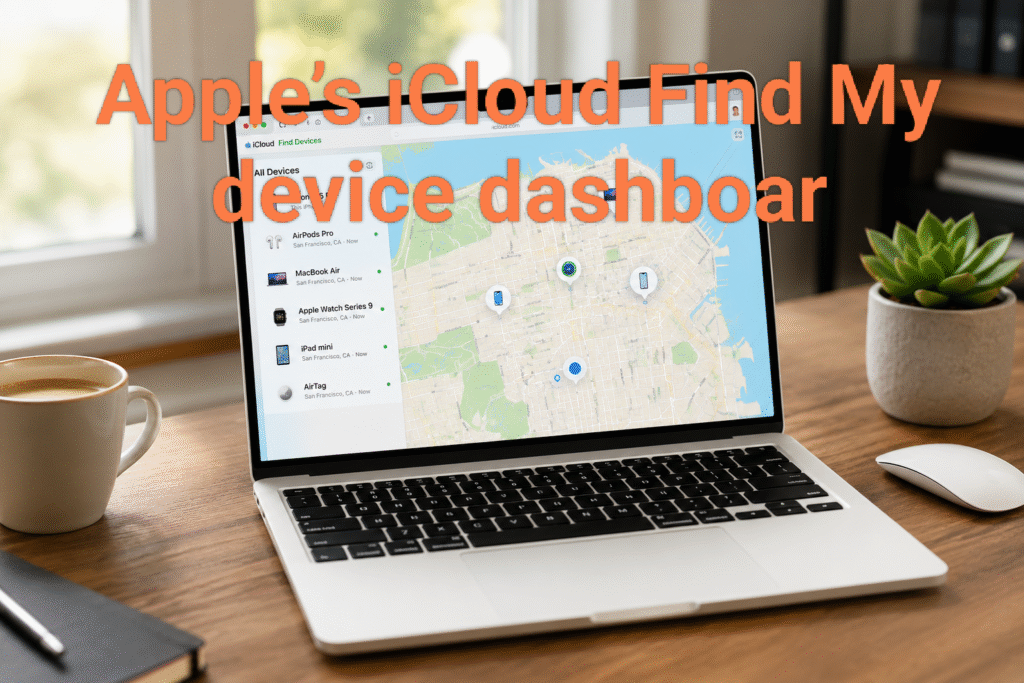
If you haven’t second Apple device? That’s no problem. Apple iCloud feature Find My iPhone works on any computer or phone:
- Go to icloud.com/find
- Sign in with the same Apple ID tracking credentials used on your lost phone.
- Select All Devices and choose your iPhone.
Essential Actions When You Have a Lost iPhone
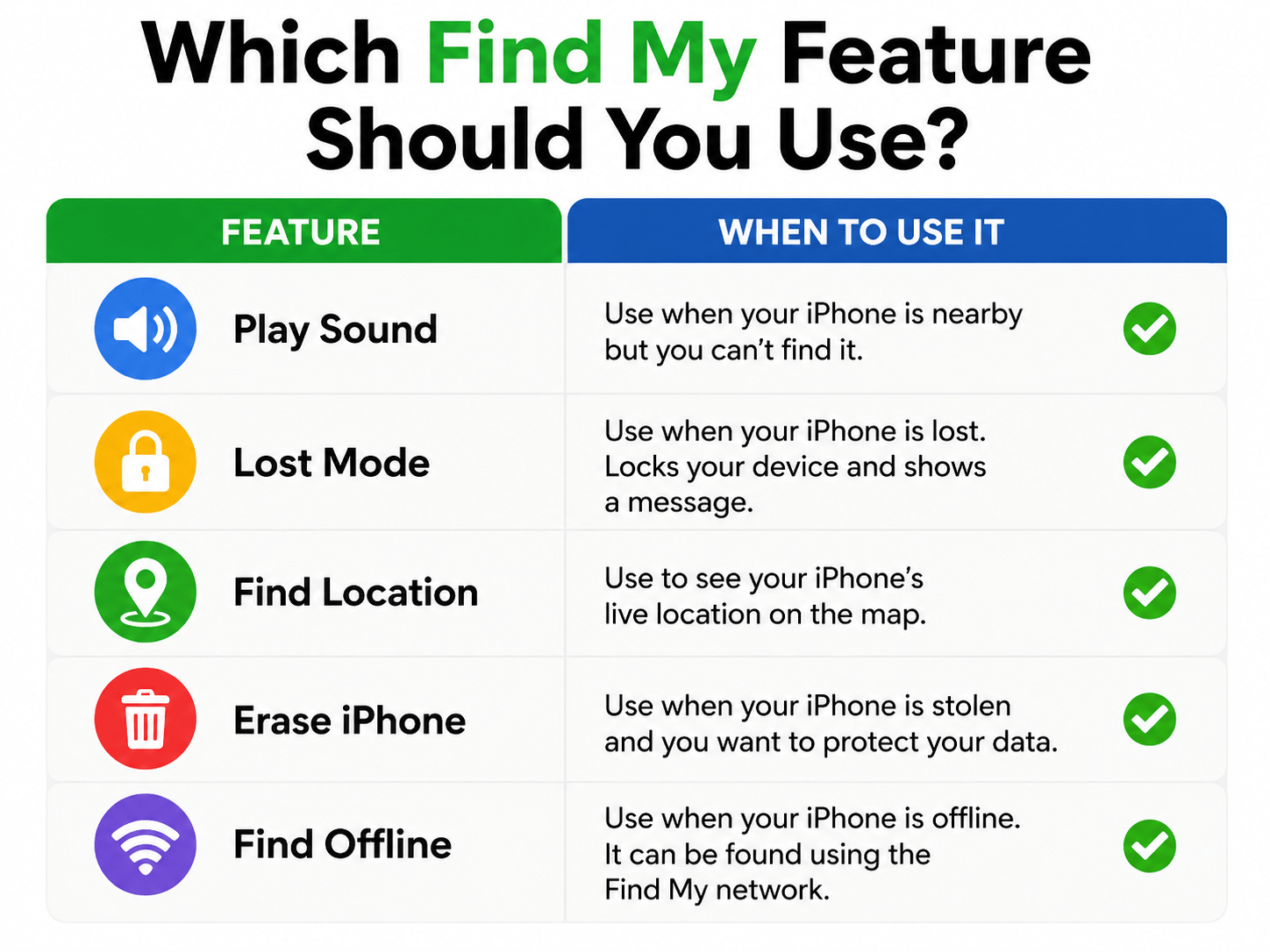
Once you’ve located your iPhone device, you have four critical options. These features are designed to help recover lost iPhone safely:
- Play Sound on iPhone
Ideal for when the phone is nearby but hidden (under a car seat or in a park). This makes your iPhone play a loud beep—even if it’s on silent.
- Mark as Lost
This remotely locks your screen with a custom message and phone number. Good samaritans can contact you without accessing your data. It also disables Apple Pay.
- Locate Stolen iPhone with Directions
The app provides real-time driving or walking directions to the device’s location. If you suspect theft, do not confront anyone—provide this data to law enforcement.
- Erase iPhone Remotely
If recovery seems impossible, you can erase iPhone remotely to protect your personal data.
Note: After erasing, you can no longer track it.
Troubleshooting: Find My iPhone Not Working? (Common Fixes)
It’s frustrating when you need the feature most, but find my iPhone not working is often fixable. Here are the top reasons and solutions:
| Problem | Likely | Cause Solution |
| Location shows “No location available” | Device is offline or battery is dead Wait; | offline iPhone tracking may update when it rejoins a network |
| Find My app won’t open Outdated iOS | Outdated iOS | |
Pro Tip:
Enable Send Last Location in Settings → [Your Name] → Find My → Find My iPhone.
This automatically sends the phone’s location to Apple when the battery is critically low.
How to Track iPhone Location When It’s Offline or Dead
Apple introduced offline iPhone tracking with iOS 15.
Here’s how it works:
even when your iPhone is powered off or disconnected from Wi-Fi/cellular, it can be located by any nearby Apple device (iPhone, iPad, Mac) using Bluetooth.
That device anonymously relays your iPhone’s location to iCloud.
To check if this is enabled:
Settings → [Your Name] → Find My → Find My iPhone → Enable “Find My network”
How to Recover Lost iPhone That’s Been Stolen
If you not able to locate your iPhone and suppose that your device is stolen, follow these steps to increase your chances to recover lost iPhone:
- You should mark it as Lost immediately via the Find My iPhone app. This locks the thief out of your data.
- You should file a police report by Providing the serial number and last known location of iPhone.
- You must not remove the iphone device from your Apple ID. That removes Activation Lock, making it easy to resell.
- You should contact your carrier/service providers to blacklist the IMEI.
Preventing Future Issues: Best Practices for iPhone Location Tracking
If by the chance you lost your iPhone then avoid the panic of loosing iPhone by setting up these features today:
- You must Double-check that Find My iPhone is ON in iCloud settings.
- You should enable Find My network for offline tracking.
- You should turn on Send Last Location.
- Share your location with a trusted family member via Find My app → People tab.
- Keep your Apple ID tracking password secure and memorized.

Frequently Asked Questions
Can I track my iPhone if location services are turned off?
No. But if Find My network is enabled, offline tracking may still work via other Apple devices.
How accurate is iPhone location tracking?
In dense cities, accuracy is 15–50 feet. In rural areas, it may be less precise.
Will erasing my iPhone remotely remove Activation Lock?
No. Activation Lock remains tied to your Apple ID, preventing thieves from reactivating the device.
Summary:
Stay Calm and Use Find My iPhone app
Knowing how to find my iPhone before you need it is the real key. By keeping the Find My app configured correctly and understanding offline iPhone tracking, you can track iPhone location, play sound on iPhone, or erase iPhone remotely with confidence.
You can bookmark this How to Find My iPhone guide, so you’re prepared for any lost or stolen situation.
also reads: https://sparklingtalk.com/9-hidden-siri-commands-most-iphone-users-are-missing/?amp=1



Rishi Sanuj is write article related to Tech and Gadget, Gaming, AI Tools, Software with 8+ years of experience covering PlayStation, and next-gen gaming trends.