


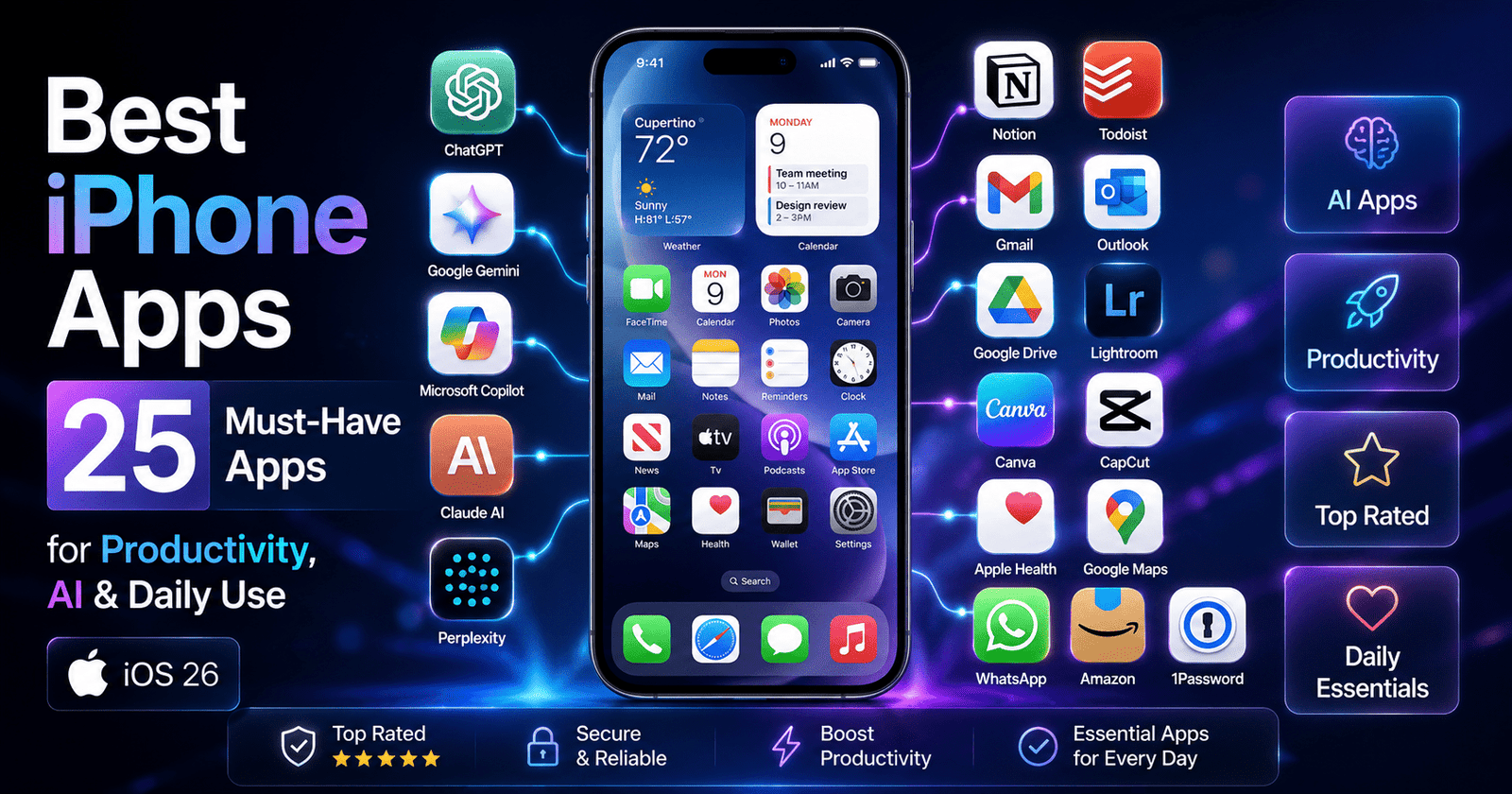
Your iPhone is far more powerful than most people realize. In fact, many users only tap into 20–30% of its true capabilities, missing out on features and apps that can transform the way they work, create, communicate, and stay organized.
The secret isn’t buying a new device – it’s installing the must-have iPhone apps that unlock your iPhone’s full potential.
In this regularly updated guide, we’ve handpicked the best iPhone apps for iOS 26, including essential iPhone apps for productivity, creativity, privacy, security, entertainment, and everyday convenience.
You’ll also discover useful iPhone apps, powerful AI apps for iPhone, hidden Apple apps you may have overlooked, the best free downloads, and premium apps that are truly worth paying for.
Whether you’re a student, professional, traveler, content creator, or business owner, this curated list helps you choose the right apps for your lifestyle.
We continuously update this guide with the latest App Store releases, ensuring you always have access to the newest and most valuable iPhone apps of 2026.
How We Selected These Must-Have iPhone Apps
With millions of apps available on the App Store, choosing the best iPhone apps can be overwhelming. To help you find apps that genuinely enhance your iPhone experience, we carefully evaluated every recommendation using a consistent set of criteria.
We considered App Store ratings, the number of downloads, and verified user reviews to identify apps trusted by millions of iPhone users worldwide.
We also reviewed each app’s privacy policy, the developer’s reputation, and how frequently the app receives updates to ensure long-term reliability and security.
Performance was another key factor. We prioritized apps that deliver a smooth experience while minimizing battery consumption and storage usage.
Whenever possible, we favored apps with offline support, making them more reliable when internet access is limited.
We also looked for seamless Apple ecosystem integration, including support for iCloud, Siri, Shortcuts, Apple Watch, iPad, and Mac, ensuring a connected experience across your devices.
Finally, we assessed value for money, balancing free features with premium benefits, and confirmed compatibility with the latest iOS 26. The result is a carefully curated collection of essential iPhone apps and useful iPhone apps that offer outstanding performance, security, and everyday value for students, professionals, travelers, creators, and casual users alike.
Best Productivity Apps for iPhone
Whether you’re managing a busy work schedule, attending classes, running a business, or simply trying to stay organized, the right productivity apps can help you accomplish more in less time.
Modern iPhone productivity apps go far beyond simple to-do lists-they allow you to take notes, manage projects, organize files, schedule meetings, collaborate with teams, automate repetitive tasks, and stay focused throughout the day.
Thanks to seamless integration with iCloud, Siri, Apple Calendar, Apple Notes, and other Apple services, many of these apps work effortlessly across your iPhone, iPad, Mac, and Apple Watch, ensuring your information is always up to date.
In this section, we’ve selected the best productivity apps for iPhone based on ease of use, reliability, performance, feature set, privacy, and overall value.
Whether you need an all-in-one workspace, a powerful task manager, a smart calendar, or an AI-powered assistant, these apps can significantly improve your daily workflow and help you stay productive wherever you are.
To make comparing apps easier, every recommendation follows the same review format:
Review Structure
- Overview: A quick introduction to what the app does and why it’s useful.
- Best Features: The standout tools and capabilities that set the app apart.
- Pros: Key advantages, strengths, and reasons to choose the app.
- Cons: Any limitations, missing features, or potential drawbacks.
- Free/Paid: Pricing details, including free plans, subscriptions, and in-app purchases.
- Best For: The type of user who will benefit most from the app.
- Alternatives: Similar apps worth considering.
- App Store Rating: The latest user rating available on the Apple App Store.
Notion
Notion is an all-in-one workspace that combines notes, documents, task management, databases, calendars, and team collaboration into a single app.
Whether you’re planning projects, organizing study materials, or managing business workflows, it’s one of the best productivity apps available for iPhone.
Best Features
- Notes, documents, and wikis
- Task and project management
- AI writing and brainstorming (Premium)
- Calendar and database views
- Team collaboration
- Cross-device synchronization
Pros
- Highly customizable
- Excellent collaboration tools
- Powerful templates
- Supports personal and professional workflows
Cons
- Learning curve for beginners
- Some AI features require a paid plan
Free/Paid: Free plan available; premium subscription unlocks advanced features.
Best For: Students, professionals, freelancers, startups, and teams.
Alternatives: Evernote, Microsoft OneNote, Obsidian
App Store Rating: ★ 4.8/5
Todoist
Todoist is a clean and intuitive task management app that helps users organize projects, create reminders, and prioritize daily tasks.
It’s one of the most reliable daily use apps for staying organized.
Best Features
- Smart task scheduling
- Recurring reminders
- Priority levels
- Project collaboration
- Productivity tracking
Pros
- Easy to use
- Powerful reminder system
- Cross-platform support
Cons
- Advanced reminders require Premium
- Limited customization
Free/Paid: Free with optional Pro subscription.
Best For: Busy professionals, students, and remote workers.
Alternatives: Microsoft To Do, TickTick, Things 3
App Store Rating: ★ 4.8/5
Apple Notes
Apple Notes comes pre-installed on every iPhone and is one of the most underrated work apps. It offers fast note-taking, document scanning, checklists, and seamless iCloud synchronization.
Best Features
- Rich text formatting
- Handwritten notes
- Document scanning
- Password-protected notes
- iCloud sync
Pros
- Completely free
- Excellent Apple integration
- Fast and reliable
Cons
- Limited collaboration features
- Not ideal for complex project management
Free/Paid: Free
Best For: Everyday note-taking and quick organization.
Alternatives: Google Keep, OneNote, Notion
App Store Rating: ★ 4.9/5
Google Calendar
Google Calendar makes scheduling meetings, reminders, and events simple while syncing seamlessly with Gmail and multiple calendars.
Best Features
- Smart event scheduling
- Shared calendars
- Time-zone support
- Meeting reminders
- Gmail integration
Pros
- Excellent synchronization
- Easy collaboration
- Reliable notifications
Cons
- Internet connection required for full functionality
- Limited customization
Free/Paid: Free
Best For: Professionals, students, and families.
Alternatives: Apple Calendar, Fantastical
App Store Rating: ★ 4.8/5
Spark Mail
Spark Mail is a feature-rich email client that intelligently organizes your inbox and improves email productivity with smart notifications and collaboration tools.
Best Features
- Smart Inbox
- Email scheduling
- AI email writing
- Shared inboxes
- Follow-up reminders
Pros
- Clean interface
- Supports multiple email providers
- Excellent organization features
Cons
- Premium plan needed for advanced collaboration
- AI features are subscription-based
Free/Paid: Free with Premium option.
Best For: Professionals and business users.
Alternatives: Outlook, Gmail, Edison Mail
App Store Rating: ★ 4.7/5
Gmail
Gmail remains one of the most trusted productivity apps for managing personal and professional email. It offers excellent spam protection, powerful search, and seamless integration with Google’s productivity ecosystem.
Best Features
- Smart Inbox
- Powerful search
- Spam filtering
- Google Meet integration
- Offline email access
Pros
- Fast and reliable
- Excellent security
- Free to use
Cons
- Interface can feel crowded
- Best experience within Google ecosystem
Free/Paid: Free
Best For: Professionals, students, and everyday users.
Alternatives: Outlook, Spark Mail, Apple Mail
App Store Rating: ★ 4.8/5
Microsoft Outlook
Microsoft Outlook combines email, calendar, contacts, and file management into a single app, making it ideal for Microsoft 365 users.
Best Features
- Unified inbox
- Built-in calendar
- Microsoft Teams integration
- OneDrive support
- Focused Inbox
Pros
- Excellent business features
- Secure email management
- Smooth Microsoft integration
Cons
- Best features require Microsoft 365
- Slightly complex for casual users
Free/Paid: Free with optional Microsoft 365 subscription.
Best For: Corporate professionals and business users.
Alternatives: Gmail, Spark Mail
App Store Rating: ★ 4.8/5
Microsoft OneDrive
OneDrive offers secure cloud storage, automatic photo backup, and seamless synchronization across Windows, iPhone, iPad, and Mac.
Best Features
- Cloud storage
- Automatic backup
- File sharing
- Office integration
- Offline file access
Pros
- Excellent Windows compatibility
- Reliable synchronization
- Secure file storage
Cons
- Limited free storage
- Premium required for larger capacity
Free/Paid: Free with paid storage plans.
Best For: Microsoft Office users and professionals.
Alternatives: Google Drive, Dropbox, iCloud Drive
App Store Rating: ★ 4.8/5
Google Drive
Google Drive is one of the most useful cloud storage solutions for storing, sharing, and collaborating on documents, spreadsheets, and presentations.
Best Features
- Cloud storage
- File sharing
- Offline access
- Built-in document scanner
- Real-time collaboration
Pros
- Generous free storage
- Excellent collaboration
- Works across all devices
Cons
- Storage fills quickly with photos
- Premium needed for larger storage
Free/Paid: Free with Google One subscription available.
Best For: Students, teams, and remote workers.
Alternatives: OneDrive, Dropbox, iCloud Drive
App Store Rating: ★ 4.9/5
Forest
Forest is a unique focus timer that encourages deep work by letting you grow virtual trees while avoiding distractions on your iPhone.
Best Features
- Pomodoro timer
- Focus tracking
- Virtual tree planting
- Productivity statistics
- Motivation rewards
Pros
- Encourages better focus
- Fun and engaging
- Beautiful interface
Cons
- Limited task management
- Premium required for extra features
Free/Paid: Paid app with optional in-app purchases.
Best For: Students, writers, programmers, and remote workers.
Alternatives: Focus Keeper, Pomodoro Timer, Freedom
App Store Rating: ★ 4.8/5
Bonus Productivity Apps Worth Trying
Google Docs
A powerful cloud-based document editor for writing, editing, and collaborating in real time. Ideal for teams, students, and professionals working on shared documents.
Google Sheets
A feature-rich spreadsheet app for budgeting, project tracking, data analysis, and team collaboration. It integrates seamlessly with Google Drive and Google Workspace.
CamScanner
Turn your iPhone into a portable document scanner. Capture receipts, contracts, IDs, handwritten notes, and convert them into high-quality searchable PDFs.
Claude AI
Claude AI is an advanced AI assistant designed for writing, brainstorming, coding, summarizing documents, and answering complex questions. It’s an excellent alternative to ChatGPT for professionals, researchers, and content creators who need detailed, context-aware responses.
Best AI Apps for iPhone
Artificial intelligence has transformed the way we use our iPhones, making everyday tasks faster, smarter, and more efficient.
Whether you need help writing emails, generating ideas, summarizing documents, translating languages, creating images, planning trips, or answering complex questions, today’s AI apps for iPhone can act as intelligent personal assistants.
From powerful chatbots to AI-powered writing and research tools, these apps boost productivity while saving valuable time.
Below are some of the best AI assistant apps and AI productivity apps available for iPhone in 2026, each offering unique capabilities for students, professionals, creators, and business users.
ChatGPT
The ChatGPT app is one of the most powerful AI apps for iPhone, helping users write emails, generate content, answer questions, brainstorm ideas, summarize documents, translate languages, and even assist with coding.
As one of the leading AI productivity apps and AI writing apps, it serves as an intelligent AI assistant app for students, professionals, content creators, and businesses looking to work smarter and save time on everyday tasks.
ChatGPT Capabilities:
- Natural conversations powered by GPT models
- Writing, editing, and proofreading
- Coding assistance
- Brainstorming and research
- Image generation (supported plans)
- Voice conversations
- File and image analysis
Best Use Cases of ChatGPT
- Content creation
- Learning and tutoring
- Coding support
- Email drafting
- Travel planning
- Business productivity
Free vs Premium
- Free: Access to core AI features with usage limits.
- Premium (ChatGPT Plus): Faster responses, access to more advanced models, higher limits, advanced voice, and additional AI tools.
Privacy Considerations
Users can manage chat history and privacy settings within the app. Avoid sharing confidential or sensitive information with any AI service.
Google Gemini
Google Gemini is one of the most advanced AI apps for iPhone, offering intelligent assistance for writing, research, brainstorming, travel planning, coding, and everyday questions.
As a powerful AI assistant app and AI productivity app, it integrates seamlessly with Google services like Gmail, Google Docs, and Google Drive, making it an excellent choice for students, professionals, and anyone already using the Google ecosystem.
Google Gemini Capabilities :
- AI-powered search and answers
- Writing assistance
- Image understanding
- Gmail and Google Workspace integration
- Travel and planning assistance
- Coding support
Best Use Cases of Google Gemini
- Google ecosystem users
- Research
- Homework assistance
- Productivity
- Trip planning
Free vs Premium
- Free: Includes most everyday AI features.
- Premium (Google AI Pro): Advanced AI models, larger context windows, and additional Workspace features.
Privacy Considerations
Gemini integrates with Google services. Review activity controls and privacy settings in your Google Account before enabling app integrations.
Microsoft Copilot
Microsoft Copilot is a feature-rich AI app for iPhone designed to boost productivity with AI-powered writing, document summarization, coding assistance, image generation, and Microsoft 365 integration. As one of the top AI productivity apps and AI assistant apps, it’s especially valuable for professionals, students, and business users who rely on Word, Excel, PowerPoint, Outlook, and other Microsoft services to work more efficiently.
Microsoft Copilot AI Capabilities:
- AI writing
- Document summarization
- Excel and PowerPoint assistance
- Image generation
- Coding support
- Microsoft 365 integration
Best Use Cases of Microsoft Copilot
- Office productivity
- Business documents
- Meeting preparation
- Professional writing
- Data analysis
Free vs Premium
- Free: General AI assistance.
- Premium (Copilot Pro/Microsoft 365): Enhanced AI features and deeper Microsoft Office integration.
Privacy Considerations
Business users may benefit from Microsoft enterprise privacy controls, while personal users should review Microsoft’s data and AI settings.
Claude AI
Claude AI is a powerful AI app for iPhone known for its natural conversations, long-form writing, document analysis, and advanced reasoning capabilities.
As one of the leading AI writing apps and AI assistant apps, it helps students, researchers, professionals, and content creators draft articles, summarize lengthy documents, brainstorm ideas, and solve complex problems with clear, context-aware responses.
Claude AI Capabilities:
- Long-form writing
- Document analysis
- Research assistance
- Coding support
- Brainstorming
- Complex reasoning
- Large context understanding
Best Use Cases of Claude AI:
- Writers
- Researchers
- Students
- Business professionals
- Long document summarization
Free vs Premium
- Free: Suitable for everyday conversations and writing.
- Premium (Claude Pro): Higher usage limits and access to more advanced models.
Privacy Considerations
Claude is designed with an emphasis on responsible AI interactions. As with any AI tool, avoid uploading confidential business or personal documents unless you’re comfortable doing so.
Perplexity AI
Perplexity AI is one of the best AI apps for iPhone for research and fact-based answers, combining AI with real-time web search to provide accurate responses backed by source citations. As a reliable AI assistant app and AI productivity app, it’s ideal for students, professionals, journalists, and researchers who need quick, trustworthy information, summaries, and follow-up insights while on the go.
Perplexity AI Capabilities:
- AI-powered search engine
- Real-time web answers
- Source citations
- Research summaries
- Follow-up questions
- Document analysis
Best Use Cases of Perplexity AI:
- Academic research
- Fact-checking
- News summaries
- Technical research
- Learning
Free vs Premium
- Free: Powerful AI search with citations.
- Premium (Perplexity Pro): More advanced AI models, higher usage limits, and additional research capabilities.
Privacy Considerations
Because Perplexity retrieves information from the web, users should verify important information from authoritative sources before making critical decisions.
Grammarly
Grammarly is one of the most popular AI writing apps for iPhone, helping users improve grammar, spelling, clarity, tone, and overall writing quality in emails, documents, and social media posts. As a powerful AI productivity app and AI assistant app, it’s an excellent choice for students, professionals, and content creators who want to write confidently and communicate more effectively from their iPhone.
Grammarly Capabilities:
- Grammar correction
- AI writing assistant
- Tone suggestions
- Sentence rewriting
- Email drafting
- Plagiarism checking (Premium)
- Writing clarity improvements
Best Use Cases of Grammarly:
- Professional emails
- Academic writing
- Social media posts
- Business communication
- Content creation
Free vs Premium
- Free: Grammar, spelling, and basic writing suggestions.
- Premium: Advanced writing feedback, tone detection, plagiarism checking, and generative AI features.
Privacy Considerations
Grammarly processes text to provide suggestions. Review its privacy settings and avoid using it for highly sensitive or confidential content if required by your organization’s policies.
Which AI App Should You Choose?
| AI App | Best For | Free Version | Premium Available |
|---|---|---|---|
| ChatGPT | Everyday AI assistant, writing, coding, learning | ✅ | ✅ |
| Google Gemini | Google Workspace users, research, planning | ✅ | ✅ |
| Microsoft Copilot | Microsoft 365 productivity and business tasks | ✅ | ✅ |
| Claude AI | Long-form writing, research, document analysis | ✅ | ✅ |
| Perplexity AI | AI-powered search with cited sources | ✅ | ✅ |
| Grammarly | Grammar correction and AI writing assistance | ✅ | ✅ |
Whether you’re looking for a versatile ChatGPT app, advanced AI writing apps, or powerful AI productivity apps, these tools can significantly improve the way you work, learn, and create on your iPhone. Choosing the right AI apps for iPhone depends on your needs—ChatGPT excels as an all-purpose assistant, Gemini integrates seamlessly with Google’s ecosystem, Copilot is ideal for Microsoft 365 users, Claude AI shines in long-form writing and analysis, Perplexity AI is perfect for research with cited answers, and Grammarly helps you write with greater clarity and confidence.
Best Communication & Email Apps
Best Communication & Email Apps for iPhone
Staying connected is more important than ever, whether you’re replying to work emails, attending virtual meetings, collaborating with teammates, or chatting with friends and family. The best communication apps and email apps for iPhone make it easy to manage conversations, schedule meetings, share files, and collaborate from anywhere. Whether you’re a professional working remotely, a student attending online classes, or a business owner managing a team, these work apps can significantly improve your productivity and communication. Below are the top communication and email apps every iPhone user should consider downloading in 2026.
Gmail
Gmail is one of the most trusted email apps for iPhone, offering a clean interface, powerful spam protection, and seamless integration with Google Workspace. It’s ideal for both personal and professional communication.
Best Features
- Smart Inbox with email categorization
- Powerful search functionality
- Google Meet integration
- Offline email access
- Advanced spam filtering
Pros
- Free and easy to use
- Excellent security
- Fast email synchronization
Cons
- Interface can feel busy
- Works best within the Google ecosystem
Free/Paid: Free
Best For: Professionals, students, freelancers, and everyday users.
Alternatives: Outlook, Spark Mail, Apple Mail
App Store Rating: ★ 4.8/5
Microsoft Outlook
Microsoft Outlook combines email, calendar, contacts, and file management in one app, making it one of the best work apps for Microsoft 365 users.
Best Features
- Unified Inbox
- Calendar integration
- Focused Inbox
- OneDrive attachment support
- Microsoft Teams integration
Pros
- Excellent business features
- Reliable synchronization
- Secure email management
Cons
- Premium features require Microsoft 365
- Slight learning curve for new users
Free/Paid: Free with optional Microsoft 365 subscription
Best For: Corporate professionals and business users.
Alternatives: Gmail, Spark Mail
App Store Rating: ★ 4.8/5
WhatsApp is the world’s most popular messaging platform, allowing users to send messages, make voice and video calls, share files, and create group chats with end-to-end encryption.
Best Features
- End-to-end encrypted messaging
- HD voice and video calls
- Group chats and Communities
- File and media sharing
- Multi-device support
Pros
- Completely free
- Strong privacy protection
- Widely used worldwide
Cons
- Requires a phone number
- Limited collaboration tools
Free/Paid: Free
Best For: Personal communication, families, and small businesses.
Alternatives: Telegram, Signal
App Store Rating: ★ 4.8/5
Telegram
Telegram is a feature-rich messaging app known for its speed, cloud storage, large group support, and advanced privacy options.
Best Features
- Cloud-based messaging
- Large file sharing
- Secret Chats
- Public channels
- Multi-device synchronization
Pros
- Fast performance
- Excellent file-sharing capabilities
- Supports large communities
Cons
- Default chats aren’t end-to-end encrypted
- Some advanced features require Premium
Free/Paid: Free with Telegram Premium option
Best For: Communities, creators, businesses, and power users.
Alternatives: WhatsApp, Signal
App Store Rating: ★ 4.7/5
Slack
Slack is one of the leading communication apps for workplace collaboration, helping teams communicate through channels, direct messages, file sharing, and app integrations.
Best Features
- Organized team channels
- Audio and video huddles
- Workflow automation
- File sharing
- Thousands of app integrations
Pros
- Excellent for remote teams
- Powerful search
- Highly customizable
Cons
- Free version has message history limits
- Can become overwhelming with many channels
Free/Paid: Free with paid Business plans
Best For: Startups, remote teams, and businesses.
Alternatives: Microsoft Teams, Discord
App Store Rating: ★ 4.7/5
Zoom
Zoom is one of the most popular video conferencing work apps, offering high-quality virtual meetings, webinars, and screen sharing for businesses, schools, and remote workers.
Best Features
- HD video meetings
- Screen sharing
- Meeting recording
- Virtual backgrounds
- AI meeting summaries (Premium)
Pros
- Excellent video quality
- Easy to join meetings
- Cross-platform compatibility
Cons
- Free meetings have time limits for groups
- Premium required for advanced features
Free/Paid: Free with paid Pro plans
Best For: Online meetings, webinars, education, and remote work.
Alternatives: Google Meet, Microsoft Teams
App Store Rating: ★ 4.8/5
Microsoft Teams
Microsoft Teams is an all-in-one collaboration platform that combines chat, video meetings, file sharing, and Microsoft 365 integration, making it an excellent choice for organizations.
Best Features
- Team chat
- Video conferencing
- File collaboration
- Shared calendars
- Microsoft 365 integration
Pros
- Perfect for businesses
- Excellent collaboration features
- Enterprise-grade security
Cons
- Can be resource-intensive
- Best experience with Microsoft 365
Free/Paid: Free with premium Microsoft 365 plans
Best For: Businesses, enterprises, schools, and remote teams.
Alternatives: Slack, Zoom, Google Meet
App Store Rating: ★ 4.8/5
Quick Comparison of the Best Communication & Email Apps
| App | Best For | Free Version | Key Strength |
|---|---|---|---|
| Gmail | Personal & professional email | ✅ | Smart inbox and Google integration |
| Microsoft Outlook | Business email | ✅ | Email, calendar, and Microsoft 365 integration |
| Messaging & voice/video calls | ✅ | End-to-end encrypted communication | |
| Telegram | Communities & large file sharing | ✅ | Cloud messaging and channels |
| Slack | Workplace collaboration | ✅ | Team communication and app integrations |
| Zoom | Video meetings | ✅ | Reliable HD video conferencing |
| Microsoft Teams | Enterprise collaboration | ✅ | Chat, meetings, and Microsoft 365 workspace |
Whether you’re managing a busy inbox, collaborating with coworkers, or staying connected with family and friends, these email apps, communication apps, and work apps offer the features you need to communicate efficiently from your iPhone.
Best Utility Apps Every iPhone User Should Have
Utility apps may not always grab the spotlight, but they’re among the most useful iPhone apps you’ll install.
From managing files and scanning documents to translating languages, storing important information, and securing your online accounts, these utility apps simplify everyday tasks and help you get more out of your iPhone.
Whether you’re a student, professional, traveler, or casual user, these daily use iPhone apps can save time, improve productivity, and make your device more versatile.
Apple Files
Apple Files is the built-in file manager for iPhone, allowing you to organize, access, and share documents stored on your device, iCloud Drive, and supported cloud storage services.
Best Features
- Browse files in one place
- iCloud Drive integration
- Folder organization
- Zip and unzip files
- Support for external storage devices
Pros
- Free and pre-installed
- Seamless Apple ecosystem integration
- Easy file management
Cons
- Fewer advanced features than some third-party file managers
Free/Paid: Free
Best For: Organizing files, documents, and cloud storage.
Alternatives: Documents by Readdle, Google Drive
App Store Rating: ★ 4.8/5
Google Drive
Google Drive is a reliable cloud storage app that lets you securely store, access, and share files from anywhere. It also supports offline access and real-time collaboration.
Best Features
- Cloud storage
- Offline file access
- Document scanning
- File sharing
- Google Workspace integration
Pros
- Easy collaboration
- Generous free storage
- Cross-platform compatibility
Cons
- Free storage is limited
- Requires internet for syncing
Free/Paid: Free with optional Google One subscription.
Best For: Students, professionals, and remote teams.
Alternatives: OneDrive, Dropbox, iCloud Drive
App Store Rating: ★ 4.9/5
Microsoft Lens
Microsoft Lens transforms your iPhone into a portable document scanner, making it easy to digitize receipts, business cards, notes, whiteboards, and important paperwork.
Best Features
- High-quality document scanning
- OCR (Text Recognition)
- PDF export
- Microsoft Office integration
- Automatic edge detection
Pros
- Fast scanning
- Excellent OCR accuracy
- Free to use
Cons
- Best experience with Microsoft services
Free/Paid: Free
Best For: Professionals, students, and office users.
Alternatives: Adobe Scan, CamScanner
App Store Rating: ★ 4.8/5
Google Translate
Google Translate helps you translate text, voice, conversations, and images into more than 100 languages, making it one of the most valuable apps for travelers and multilingual users.
Best Features
- Text translation
- Voice translation
- Camera translation
- Offline language packs
- Conversation mode
Pros
- Supports many languages
- Accurate translations
- Offline functionality
Cons
- Some translations may lack context
Free/Paid: Free
Best For: Travelers, students, and language learners.
Alternatives: Apple Translate, Microsoft Translator
App Store Rating: ★ 4.8/5
QR Scanner
A QR Scanner app lets you quickly scan QR codes and barcodes to open websites, connect to Wi-Fi, access digital menus, make payments, and retrieve product information.
Best Features
- Fast QR code scanning
- Barcode support
- Scan history
- Flashlight support
- Instant link detection
Pros
- Lightweight and fast
- Easy to use
- Useful for everyday tasks
Cons
- Many third-party apps include ads
- Basic scanning is already available in the iPhone Camera app
Free/Paid: Most apps are free with optional premium features.
Best For: Everyday QR code and barcode scanning.
Alternatives: Built-in Camera app, QRbot
App Store Rating: Varies by app
Authenticator
Authenticator apps generate secure verification codes for two-factor authentication (2FA), adding an extra layer of protection to your online accounts.
Best Features
- One-time verification codes
- Offline code generation
- Backup and recovery (app dependent)
- Multi-account support
- Enhanced account security
Pros
- Improves online security
- Works offline
- Simple to use
Cons
- Account recovery depends on the app you choose
Free/Paid: Most authenticator apps are free.
Best For: Securing email, banking, social media, and work accounts.
Alternatives: Google Authenticator, Microsoft Authenticator, Authy
App Store Rating: Varies by app
PDF Scanner
A PDF Scanner app lets you scan physical documents and convert them into high-quality PDFs using your iPhone’s camera, making paperwork easier to manage and share.
Best Features
- Document scanning
- Automatic edge detection
- PDF creation
- OCR text recognition
- Cloud storage integration
Pros
- Paperless document management
- Easy sharing
- High-quality scans
Cons
- Advanced editing tools often require a subscription
Free/Paid: Free with optional premium features.
Best For: Business users, students, and anyone managing paperwork.
Alternatives: Adobe Scan, Microsoft Lens, CamScanner
App Store Rating: Varies by app
Quick Comparison of the Best Utility Apps
| App | Best For | Free Version | Key Feature |
|---|---|---|---|
| Apple Files | File management | ✅ | iCloud integration |
| Google Drive | Cloud storage | ✅ | File sharing & collaboration |
| Microsoft Lens | Document scanning | ✅ | OCR & PDF export |
| Google Translate | Language translation | ✅ | Camera & offline translation |
| QR Scanner | QR and barcode scanning | ✅ | Instant code scanning |
| Authenticator | Two-factor authentication | ✅ | Secure login verification |
| PDF Scanner | Document digitization | ✅ | High-quality PDF creation |
These useful iPhone apps are designed to make everyday tasks easier, from organizing files and scanning documents to translating languages and protecting your online accounts.
Installing these utility apps ensures your iPhone is equipped for work, travel, learning, and daily productivity, making them some of the most valuable daily use iPhone apps in 2026.
Best Privacy & Security Apps
Best Privacy & Security Apps for iPhone
Your iPhone stores valuable personal information, including passwords, banking details, photos, emails, and work documents. While Apple provides strong built-in security features, adding trusted security apps can significantly enhance your privacy and protect you from cyber threats.
From using a secure password manager to encrypt your internet connection with reliable VPN apps, enabling two-factor authentication, browsing privately, and blocking phishing scams, these privacy apps help safeguard your digital life.
Whether you’re working remotely, shopping online, or using public Wi-Fi, these apps provide an extra layer of protection for your data and online accounts.
1Password
1Password is one of the most trusted password manager apps for iPhone, allowing you to securely store passwords, credit card details, passkeys, secure notes, and other sensitive information in an encrypted vault.
1Password Features:
- Unlimited password storage
- Passkey support
- Secure password generator
- AutoFill integration
- Secure document storage
- Family sharing
Pros
- Excellent security
- Easy-to-use interface
- Works across multiple devices
Cons
- No permanent free plan
- Subscription required
Free/Paid: Free trial, then paid subscription.
Best For: Individuals, families, and professionals.
Alternatives: Bitwarden, Dashlane, Apple Passwords
App Store Rating: ★ 4.8/5
Bitwarden
Bitwarden is an open-source password manager known for its strong encryption, affordability, and generous free plan.
Bitwarden Features:
- End-to-end encryption
- Password generator
- Secure vault
- Cross-device syncing
- Passkey support
Pros
- Free for most users
- Open-source security
- Affordable premium plan
Cons
- Interface is less polished than some competitors
Free/Paid: Free with affordable Premium plan.
Best For: Budget-conscious users and security enthusiasts.
Alternatives: 1Password, Dashlane
App Store Rating: ★ 4.8/5
Proton VPN
Proton VPN is one of the most trusted VPN apps for iPhone, offering encrypted internet access, strong privacy protection, and a strict no-logs policy.
Proton VPN Features
- Secure VPN encryption
- No-logs policy
- High-speed servers
- Kill Switch
- Secure Core servers
Pros
- Excellent privacy
- Free plan available
- Trusted security company
Cons
- Premium servers require a subscription
Free/Paid: Free with premium plans.
Best For: Privacy-focused users and travelers.
Alternatives: NordVPN, Surfshark, ExpressVPN
App Store Rating: ★ 4.7/5
NordVPN
NordVPN is a premium VPN service that protects your online activity by encrypting your internet connection, especially when using public Wi-Fi networks.
Features NordVPN
- Military-grade encryption
- Threat Protection
- Dark Web Monitoring
- Thousands of global servers
- Fast connection speeds
Pros
- Excellent performance
- Strong privacy features
- Easy to use
Cons
- Subscription required after trial
Free/Paid: Paid subscription with trial offers.
Best For: Frequent travelers, remote workers, and streaming users.
Alternatives: Proton VPN, Surfshark, ExpressVPN
App Store Rating: ★ 4.8/5
Google Authenticator
Google Authenticator adds an extra layer of account security by generating time-based verification codes for two-factor authentication (2FA).
Google Authenticator Features:
- One-time verification codes
- Offline code generation
- Multi-account support
- Cloud backup (supported versions)
Pros
- Free to use
- Lightweight
- Simple setup
Cons
- Limited account management features
Free/Paid: Free
Best For: Securing Google, social media, banking, and business accounts.
Alternatives: Authy, Microsoft Authenticator
App Store Rating: ★ 4.8/5
Authy
Authy is another excellent two-factor authentication app that securely stores and synchronizes your authentication tokens across multiple devices.
Authy Features
- Secure cloud backup
- Multi-device synchronization
- Offline authentication
- PIN and biometric protection
Pros
- Easy device recovery
- Multi-device support
- User-friendly interface
Cons
- Requires phone number registration
Free/Paid: Free
Best For: Users managing multiple online accounts.
Alternatives: Google Authenticator, Microsoft Authenticator
App Store Rating: ★ 4.8/5
Brave Browser
Brave Browser is a privacy-focused web browser that automatically blocks ads, trackers, fingerprinting, and malicious websites, making it one of the best privacy apps for iPhone.
Brave Browser Features
- Built-in ad blocker
- Tracker blocking
- HTTPS upgrades
- Private browsing
- Built-in VPN and Firewall (Premium)
Pros
- Faster browsing
- Better privacy
- Reduced data usage
Cons
- Some websites may require disabling Shields for full functionality
Free/Paid: Free with optional premium services.
Best For: Privacy-conscious users and secure web browsing.
Alternatives: Safari, Firefox Focus, DuckDuckGo Browser
App Store Rating: ★ 4.8/5
How These Apps Protect Your iPhone
| Security Feature | Recommended Apps | Why It Matters |
|---|---|---|
| Password Management | 1Password, Bitwarden | Creates and stores strong, unique passwords securely. |
| VPN Protection | Proton VPN, NordVPN | Encrypts internet traffic and protects your data on public Wi-Fi. |
| Two-Factor Authentication | Google Authenticator, Authy | Adds an extra verification step to prevent unauthorized account access. |
| Private Browsing | Brave Browser | Blocks trackers, ads, and fingerprinting for a safer browsing experience. |
| Scam & Phishing Protection | Brave Browser, NordVPN Threat Protection, 1Password | Helps reduce exposure to malicious websites, phishing attempts, and online scams. |
Installing a combination of these security apps, VPN apps, and privacy apps is one of the easiest ways to strengthen your iPhone’s defenses. A reliable password manager, secure VPN, two-factor authentication app, and privacy-focused browser work together to protect your personal data, online accounts, and browsing activity from hackers, phishing attacks, and identity theft.
Best Photo Editing Apps for iPhone
Whether you’re enhancing vacation photos, creating Instagram posts, editing professional portraits, or designing marketing graphics, the right photo editing apps can turn ordinary images into stunning visuals. Today’s iPhone editing apps offer powerful features like AI editing, RAW photo editing, one-tap enhancements, advanced color grading, creative filters, and ready-made social media templates. Whether you’re a beginner looking for a free photo editor or a professional photographer who needs advanced editing tools, these editing apps deliver desktop-quality results directly from your iPhone.
Adobe Lightroom
Adobe Lightroom is one of the most powerful photo editing apps for iPhone, offering professional-grade editing tools, AI-powered enhancements, and advanced RAW editing capabilities.
Best Features
- AI-powered photo enhancements
- RAW photo editing
- Advanced color grading
- Selective editing with masks
- Cloud synchronization
- Professional presets
Pros
- Industry-leading editing tools
- Excellent RAW support
- Powerful AI features
Cons
- Advanced tools require a Premium subscription
- Learning curve for beginners
Free/Paid: Free with optional Adobe Creative Cloud subscription.
Best For: Professional photographers, creators, and serious hobbyists.
Alternatives: Snapseed, Pixelmator, Darkroom
App Store Rating: ★ 4.8/5
Snapseed
Developed by Google, Snapseed is a completely free photo editing app packed with professional editing tools and support for RAW editing.
Best Features
- RAW image editing
- Healing tool
- Selective adjustments
- Curves and color correction
- HDR effects
- Professional filters
Pros
- Completely free
- No ads
- Easy-to-use interface
- Professional-quality edits
Cons
- No cloud synchronization
- Fewer AI-powered features than premium apps
Free/Paid: Free
Best For: Beginners, hobbyists, and photographers.
Alternatives: Lightroom, VSCO
App Store Rating: ★ 4.8/5
Canva
Canva is much more than a free photo editor—it’s an all-in-one design platform for creating social media graphics, presentations, posters, logos, and marketing content.
Best Features
- AI-powered image editing
- Background remover (Pro)
- Thousands of social media templates
- Drag-and-drop editor
- Magic Design and Magic Resize
- Team collaboration
Pros
- Beginner-friendly
- Huge template library
- Excellent for social media content
Cons
- Many premium templates require Canva Pro
- Limited advanced photo editing
Free/Paid: Free with Canva Pro subscription.
Best For: Content creators, marketers, students, and small businesses.
Alternatives: Adobe Express, Picsart
App Store Rating: ★ 4.9/5
Adobe Express
Adobe Express combines quick photo editing with graphic design tools, making it ideal for creating eye-catching social media posts, flyers, thumbnails, and promotional content.
Best Features
- AI image generation
- AI background removal
- Professional templates
- Social media scheduling
- Brand kits
- Quick editing tools
Pros
- Easy to use
- Excellent template collection
- Seamless Adobe integration
Cons
- Premium subscription unlocks advanced AI features
Free/Paid: Free with Adobe Express Premium.
Best For: Small businesses, creators, and marketers.
Alternatives: Canva, VistaCreate
App Store Rating: ★ 4.8/5
VSCO
VSCO is a favorite among photographers and influencers for its high-quality filters, cinematic presets, and creative editing tools.
Best Features
- Premium film-inspired filters
- AI editing suggestions
- Video editing
- Exposure and color adjustments
- Community sharing
Pros
- Beautiful filters
- Minimalist interface
- Great for aesthetic photography
Cons
- Many filters require a subscription
- Limited graphic design features
Free/Paid: Free with VSCO Membership.
Best For: Lifestyle photographers, influencers, and creators.
Alternatives: Lightroom, Snapseed
App Store Rating: ★ 4.7/5
Pixelmator
Pixelmator is a feature-rich image editor designed for Apple users, offering advanced editing tools, AI editing, layer support, and seamless integration across the Apple ecosystem.
Best Features
- AI-powered photo enhancement
- Layer-based editing
- Object removal
- Color adjustments
- Apple Pencil support (iPad)
- iCloud synchronization
Pros
- Excellent Apple ecosystem integration
- Powerful editing tools
- Great performance
Cons
- Paid app
- Better suited for intermediate and advanced users
Free/Paid: Paid (one-time purchase, where available).
Best For: Designers, photographers, and Apple enthusiasts.
Alternatives: Lightroom, Affinity Photo
App Store Rating: ★ 4.8/5
Quick Comparison of the Best Photo Editing Apps
| App | Best For | AI Editing | RAW Editing | Free Version |
|---|---|---|---|---|
| Adobe Lightroom | Professional photo editing | ✅ | ✅ | ✅ |
| Snapseed | Free professional editing | Limited | ✅ | ✅ |
| Canva | Social media graphics & templates | ✅ | ❌ | ✅ |
| Adobe Express | Marketing and content creation | ✅ | ❌ | ✅ |
| VSCO | Creative filters & aesthetic edits | Limited | ✅ | ✅ |
| Pixelmator | Advanced Apple-based editing | ✅ | ✅ | ❌ |
Whether you’re looking for a professional photo editing app, a beginner-friendly free photo editor, or advanced editing apps with AI tools and RAW support, these apps offer everything you need to create stunning images on your iPhone.
Choose Lightroom or Pixelmator for professional editing, Snapseed for a powerful free solution, Canva and Adobe Express for social media content, or VSCO for beautiful filters and artistic photography.
Best Video Editing Apps for iPhone
Whether you’re creating YouTube videos, Instagram Reels, TikTok clips, or professional marketing content, the right video editing apps can help you produce high-quality videos directly from your iPhone.
Modern editors now include advanced features such as 4K video editing, AI captions, automatic background removal, transitions, color grading, and royalty-free music-all without needing a desktop computer.
Whether you’re a beginner, content creator, vlogger, or filmmaker, these YouTube editing apps and Instagram editing apps make it easy to edit, enhance, and publish engaging videos on the go.
CapCut
CapCut is one of the most popular video editing apps for iPhone, offering AI-powered editing tools, trendy templates, auto captions, and professional effects for social media videos.
Best Features
- 4K video editing
- AI auto captions
- Background removal
- Trending templates
- Motion tracking
- Music and sound effects
Pros
- Beginner-friendly
- Excellent AI tools
- Regular feature updates
- Great for short-form content
Cons
- Some premium effects require a subscription
- Watermarks may apply to certain templates
Free/Paid: Free with CapCut Pro subscription.
Best For: TikTok, YouTube Shorts, Instagram Reels, and content creators.
Alternatives: VN Editor, InShot
App Store Rating: ★ 4.8/5
iMovie
iMovie is Apple’s free video editor that provides a simple yet powerful editing experience with seamless integration across the Apple ecosystem.
Best Features
- 4K video editing
- Cinematic trailers
- Green screen effects
- Multi-device editing
- Built-in transitions
- Apple ecosystem integration
Pros
- Completely free
- No watermarks
- Easy to use
- Excellent performance on iPhone
Cons
- Limited advanced editing features
- No AI captions
Free/Paid: Free
Best For: Beginners, students, and Apple users.
Alternatives: CapCut, LumaFusion
App Store Rating: ★ 4.8/5
VN Editor
VN Editor is a feature-rich video editor that combines professional editing tools with an intuitive interface, making it a favorite among mobile creators.
Best Features
- 4K export
- Multi-track timeline
- Keyframe animation
- Speed curves
- Chroma key
- Advanced transitions
Pros
- No watermark on exports
- Professional editing tools
- Completely free for most features
Cons
- Fewer AI features than CapCut
- Interface may feel advanced for beginners
Free/Paid: Free
Best For: YouTubers, vloggers, and advanced mobile editors.
Alternatives: CapCut, LumaFusion
App Store Rating: ★ 4.9/5
InShot
InShot is one of the best Instagram editing apps, designed for quickly creating polished videos for Instagram, YouTube, TikTok, and Facebook.
Best Features
- AI captions
- Video trimming and merging
- Music library
- Filters and effects
- Canvas resizing
- Text and stickers
Pros
- Easy to learn
- Excellent for social media
- Fast exporting
Cons
- Watermark in free version
- Some premium tools require a subscription
Free/Paid: Free with InShot Pro.
Best For: Instagram Reels, YouTube Shorts, TikTok, and social media creators.
Alternatives: CapCut, VN Editor
App Store Rating: ★ 4.9/5
LumaFusion
LumaFusion is a professional-grade mobile video editor that delivers desktop-level editing capabilities for filmmakers, journalists, and experienced content creators.
Best Features
- Multi-track 4K editing
- Professional color correction
- Audio mixing
- External storage support
- Frame-by-frame editing
- Advanced export options
Pros
- Desktop-class editing tools
- Excellent performance
- No subscription required
- Ideal for professional workflows
Cons
- Paid app
- Steeper learning curve
Free/Paid: Paid (one-time purchase).
Best For: Professional filmmakers, journalists, and advanced creators.
Alternatives: Final Cut Pro (Mac), Adobe Premiere Rush
App Store Rating: ★ 4.8/5
Quick Comparison of the Best Video Editing Apps
| App | Best For | 4K Support | AI Captions | Free Version |
|---|---|---|---|---|
| CapCut | YouTube Shorts & Reels | ✅ | ✅ | ✅ |
| iMovie | Beginners & Apple users | ✅ | ❌ | ✅ |
| VN Editor | Advanced mobile editing | ✅ | ❌ | ✅ |
| InShot | Instagram Reels & social media | ✅ | ✅ | ✅ |
| LumaFusion | Professional video editing | ✅ | ❌ | ❌ |
Whether you’re producing cinematic videos, creating viral Instagram Reels, editing YouTube Shorts, or building a professional YouTube channel, these video editing apps offer the tools you need to create impressive content directly from your iPhone.
Choose CapCut for AI-powered editing, iMovie for a free Apple solution, VN Editor for advanced editing without watermarks, InShot for social media content, or LumaFusion for professional-quality video production.
Best Finance Apps for iPhone
Managing your money has never been easier thanks to today’s powerful finance apps for iPhone. Whether you’re creating a monthly budget, tracking daily expenses, sending money to friends, monitoring investments, or planning long-term financial goals, the right app can help you stay in control of your finances.
From advanced budgeting apps to smart expense tracker tools and secure payment platforms, these apps make personal finance simple, organized, and accessible wherever you go.
Rocket Money
Rocket Money is one of the best budgeting apps for iPhone, helping users track spending, monitor subscriptions, create budgets, and identify opportunities to save money.
Best Features
- Subscription tracking
- Budget planning
- Expense categorization
- Bill negotiation
- Credit score monitoring
- Spending insights
Pros
- Easy-to-use dashboard
- Automatic subscription detection
- Helps reduce unnecessary expenses
Cons
- Some premium features require a paid subscription
- Primarily designed for U.S. users
Free/Paid: Free with Premium subscription available.
Best For: Budget-conscious users and subscription management.
Alternatives: Monarch Money, YNAB
App Store Rating: ★ 4.8/5
Empower
Empower combines budgeting, investment tracking, retirement planning, and net worth monitoring, making it one of the most comprehensive finance apps for long-term financial management.
Best Features
- Investment tracking
- Net worth calculator
- Retirement planning
- Cash flow analysis
- Portfolio performance
- Financial dashboard
Pros
- Excellent investment insights
- Comprehensive financial overview
- Free core features
Cons
- Best suited for U.S. financial accounts
- Some advisory services are paid
Free/Paid: Free with optional paid wealth management services.
Best For: Investors and long-term financial planners.
Alternatives: Monarch Money, Fidelity
App Store Rating: ★ 4.8/5
PayPal
PayPal is one of the world’s most trusted digital payment platforms, allowing users to send and receive money securely, shop online, and make international payments.
Best Features
- Secure online payments
- International money transfers
- Buyer protection
- QR code payments
- Bill payments
Pros
- Widely accepted
- Strong security features
- Fast transactions
Cons
- Transaction fees for certain services
- Currency conversion fees may apply
Free/Paid: Free for personal accounts; fees apply to certain transactions.
Best For: Online shopping, freelancers, and international payments.
Alternatives: Venmo, Apple Pay
App Store Rating: ★ 4.9/5
Venmo
Venmo is a popular peer-to-peer payment app that makes it easy to split bills, send money to friends, and pay for purchases directly from your iPhone.
Best Features
- Instant money transfers
- Bill splitting
- QR code payments
- Debit card support
- Social payment feed
Pros
- Fast and simple payments
- User-friendly interface
- Free standard transfers
Cons
- Primarily available in the U.S.
- Instant transfers may incur fees
Free/Paid: Free with optional paid services.
Best For: Friends, family, and everyday payments.
Alternatives: PayPal, Cash App
App Store Rating: ★ 4.9/5
Monarch Money
Monarch Money is a modern personal finance app and one of the best Mint alternatives, offering budgeting, investment tracking, goal planning, and household financial management.
Best Features
- Budget creation
- Expense tracking
- Investment monitoring
- Financial goal planning
- Household collaboration
- Custom financial reports
Pros
- Beautiful interface
- Excellent budgeting tools
- Supports multiple financial accounts
Cons
- No permanent free plan
- Subscription required after trial
Free/Paid: Free trial followed by a paid subscription.
Best For: Families and users looking for a Mint replacement.
Alternatives: Rocket Money, YNAB
App Store Rating: ★ 4.8/5
YNAB (You Need A Budget)
YNAB is a premium expense tracker and budgeting app that follows a proactive budgeting philosophy, helping users assign every dollar a purpose and build healthier financial habits.
Best Features
- Zero-based budgeting
- Goal tracking
- Debt payoff planning
- Spending reports
- Real-time synchronization
- Educational budgeting resources
Pros
- Excellent budgeting methodology
- Detailed financial reports
- Encourages smarter spending habits
Cons
- Subscription required
- Takes time to learn
Free/Paid: Free trial with paid subscription.
Best For: Serious budget planners and families.
Alternatives: Rocket Money, Monarch Money
App Store Rating: ★ 4.8/5
Quick Comparison of the Best Finance Apps
| App | Best For | Free Version | Key Feature |
|---|---|---|---|
| Rocket Money | Budgeting & subscriptions | ✅ | Subscription tracking |
| Empower | Investments & retirement | ✅ | Net worth tracking |
| PayPal | Online payments | ✅ | Secure global payments |
| Venmo | Peer-to-peer payments | ✅ | Bill splitting & transfers |
| Monarch Money | Personal budgeting | Trial | Mint alternative |
| YNAB | Expense tracking & budgeting | Trial | Zero-based budgeting |
Whether you’re looking for reliable finance apps, powerful budgeting apps, or an intelligent expense tracker, these iPhone apps can help you manage your money more effectively. Choose Rocket Money for subscription management, Empower for investment tracking, PayPal or Venmo for secure payments, Monarch Money as a modern Mint alternative, or YNAB for building long-term budgeting habits and financial discipline.
Best Travel Apps for iPhone
Whether you’re planning a weekend getaway, a business trip, or an international vacation, the right travel apps can make your journey smoother, safer, and more enjoyable. From finding the fastest routes and booking accommodations to tracking flights and translating foreign languages, these apps help you stay organized every step of the way. The best navigation apps provide real-time traffic updates and offline maps, while a reliable trip planner keeps your itinerary, reservations, and travel details in one convenient place.
Google Maps
Google Maps is one of the most popular navigation apps, offering accurate directions, live traffic updates, local business information, and offline maps for travelers worldwide.
Best Features
- Turn-by-turn navigation
- Real-time traffic updates
- Offline maps
- Public transportation routes
- Street View
- Nearby restaurants and attractions
Pros
- Highly accurate directions
- Excellent local search
- Offline navigation support
Cons
- Offline features are limited compared to online mode
- Uses GPS, which may increase battery consumption
Free/Paid: Free
Best For: Road trips, city navigation, and international travel.
Alternatives: Apple Maps, Waze
App Store Rating: ★ 4.8/5
Apple Maps
Apple Maps is Apple’s built-in navigation app, offering detailed maps, real-time traffic, and seamless integration with Siri, CarPlay, and the Apple ecosystem.
Best Features
- Turn-by-turn navigation
- Siri voice guidance
- Flyover 3D views
- Lane guidance
- CarPlay integration
- Look Around feature
Pros
- Pre-installed on iPhone
- Excellent Apple ecosystem integration
- Clean and intuitive interface
Cons
- Fewer business reviews than Google Maps
- Offline map coverage varies by region
Free/Paid: Free
Best For: Apple users, daily commuting, and driving.
Alternatives: Google Maps, Waze
App Store Rating: ★ 4.8/5
Airbnb
Airbnb helps travelers book unique accommodations, vacation rentals, and local experiences in thousands of destinations worldwide.
Best Features
- Vacation home rentals
- Local experiences
- Flexible search filters
- Instant booking
- Host messaging
- Wish lists
Pros
- Wide variety of accommodations
- Great for families and groups
- Unique local stays
Cons
- Cleaning fees may increase total cost
- Availability varies by location
Free/Paid: Free to browse and book.
Best For: Vacation rentals, family trips, and long stays.
Alternatives: Booking.com, Vrbo
App Store Rating: ★ 4.9/5
Uber
Uber is one of the most widely used ride-hailing travel apps, allowing users to book rides, reserve airport transfers, and order food through Uber Eats in many countries.
Best Features
- Ride booking
- Airport pickups
- Fare estimates
- Live driver tracking
- Cashless payments
- Scheduled rides
Pros
- Available in many cities worldwide
- Fast booking process
- Secure cashless payments
Cons
- Surge pricing during peak hours
- Availability depends on location
Free/Paid: Free to download; pay per ride.
Best For: Airport transfers, city transportation, and business travel.
Alternatives: Lyft, Bolt
App Store Rating: ★ 4.8/5
TripIt
TripIt is a powerful trip planner that organizes flight confirmations, hotel bookings, car rentals, and travel itineraries into one easy-to-access schedule.
Best Features
- Automatic itinerary creation
- Flight reminders
- Reservation management
- Calendar synchronization
- Offline itinerary access
- Travel timeline
Pros
- Keeps all travel plans organized
- Easy to use
- Saves time during trips
Cons
- Some advanced features require TripIt Pro
- Depends on confirmation emails for automation
Free/Paid: Free with optional TripIt Pro subscription.
Best For: Frequent travelers, business trips, and vacation planning.
Alternatives: Google Travel, Wanderlog
App Store Rating: ★ 4.8/5
FlightAware
FlightAware provides real-time flight tracking, airport delays, gate information, and live flight status updates for travelers around the world.
Best Features
- Live flight tracking
- Delay notifications
- Airport status updates
- Gate information
- Aircraft route maps
- Flight history
Pros
- Highly accurate tracking
- Useful delay alerts
- Covers airlines worldwide
Cons
- Premium features require a subscription
- Focused mainly on flight tracking
Free/Paid: Free with premium options.
Best For: Air travelers, aviation enthusiasts, and frequent flyers.
Alternatives: FlightRadar24, Flighty
App Store Rating: ★ 4.8/5
Google Translate
Google Translate helps travelers communicate confidently by translating text, speech, conversations, and images into over 100 languages, even when offline.
Best Features
- Text translation
- Voice translation
- Camera translation
- Conversation mode
- Offline language packs
- Handwriting recognition
Pros
- Supports many languages
- Easy to use
- Offline translation available
Cons
- Some translations may lack local context
- Requires downloaded language packs for offline use
Free/Paid: Free
Best For: International travel, language learning, and business trips.
Alternatives: Apple Translate, Microsoft Translator
App Store Rating: ★ 4.8/5
Quick Comparison of the Best Travel Apps
| App | Best For | Free Version | Key Feature |
|---|---|---|---|
| Google Maps | Navigation & local discovery | ✅ | Offline maps & live traffic |
| Apple Maps | Apple ecosystem navigation | ✅ | Siri & CarPlay integration |
| Airbnb | Vacation rentals | ✅ | Unique accommodations |
| Uber | Ride-hailing | ✅ | Airport transfers & cashless rides |
| TripIt | Travel planning | ✅ | Automatic itinerary management |
| FlightAware | Flight tracking | ✅ | Real-time flight updates |
| Google Translate | Language translation | ✅ | Offline & camera translation |
Whether you’re looking for reliable travel apps, accurate navigation apps, or an all-in-one trip planner, these iPhone apps help you navigate unfamiliar destinations, book transportation, organize itineraries, and overcome language barriers with ease. Installing these essential travel tools ensures you’re prepared for everything from daily commutes to international adventures in 2026.
Best Health & Fitness Apps for iPhone
Maintaining a healthy lifestyle is easier when you have the right health apps on your iPhone. Whether you’re tracking workouts, monitoring daily activity, improving nutrition, staying hydrated, or reducing stress, today’s fitness apps and wellness apps provide personalized insights and motivation to help you achieve your goals. Many of these apps also integrate seamlessly with Apple Health and the Apple Watch, giving you a complete picture of your physical activity, heart rate, sleep, and overall wellness.
Apple Health
Apple Health is the built-in health hub for iPhone, bringing together fitness, sleep, heart rate, medications, nutrition, and health data from compatible apps and devices.
Best Features
- Activity and step tracking
- Heart rate monitoring
- Sleep analysis
- Medication reminders
- Health Records support
- Apple Watch integration
Pros
- Free and pre-installed
- Excellent Apple ecosystem integration
- Centralized health dashboard
Cons
- Advanced insights depend on connected devices
- Some features vary by region
Free/Paid: Free
Best For: Everyday health tracking and Apple Watch users.
Alternatives: Google Fit, Samsung Health
App Store Rating: Built into iOS
MyFitnessPal
MyFitnessPal is one of the most popular fitness apps for calorie counting, nutrition tracking, and weight management, helping users build healthier eating habits.
Best Features
- Calorie tracker
- Barcode food scanner
- Nutrition insights
- Meal logging
- Exercise tracking
- Personalized goals
Pros
- Huge food database
- Easy meal tracking
- Syncs with Apple Health
Cons
- Some advanced features require Premium
- Ads in the free version
Free/Paid: Free with Premium subscription.
Best For: Weight loss, muscle gain, and healthy eating.
Alternatives: Lose It!, Cronometer
App Store Rating: ★ 4.7/5
Strava
Strava is a leading fitness platform for runners, cyclists, and outdoor enthusiasts who want to track workouts, analyze performance, and connect with a global fitness community.
Best Features
- GPS workout tracking
- Route planning
- Performance analytics
- Community challenges
- Training insights
- Apple Watch support
Pros
- Excellent GPS accuracy
- Strong social community
- Detailed workout analysis
Cons
- Many advanced analytics require a subscription
- Best suited for outdoor activities
Free/Paid: Free with Strava Subscription.
Best For: Running, cycling, hiking, and endurance training.
Alternatives: Nike Run Club, Garmin Connect
App Store Rating: ★ 4.8/5
Calm
Calm is one of the most trusted wellness apps, offering guided meditation, sleep stories, breathing exercises, and relaxing music to improve mental health and reduce stress.
Best Features
- Guided meditation
- Sleep stories
- Breathing exercises
- Relaxing soundscapes
- Mindfulness programs
- Daily Calm sessions
Pros
- Beautiful interface
- High-quality audio content
- Great for stress management
Cons
- Most content requires a subscription
- Limited free library
Free/Paid: Free with Calm Premium.
Best For: Stress relief, better sleep, and mindfulness.
Alternatives: Headspace, Insight Timer
App Store Rating: ★ 4.8/5
Water Reminder
Water Reminder helps you maintain healthy hydration habits by sending personalized reminders to drink water throughout the day.
Best Features
- Custom hydration goals
- Smart reminders
- Water intake history
- Health app integration
- Progress tracking
Pros
- Simple and easy to use
- Encourages healthy habits
- Lightweight app
Cons
- Premium required for some customization
- Focused only on hydration
Free/Paid: Free with optional Premium features.
Best For: Daily hydration tracking and healthy lifestyle management.
Alternatives: WaterMinder, Hydro Coach
App Store Rating: ★ 4.8/5
Nike Run Club
Nike Run Club is a free running app that provides GPS tracking, guided runs, personalized coaching, and training plans for runners of all experience levels.
Best Features
- GPS run tracking
- Guided audio runs
- Personalized coaching plans
- Pace and distance analysis
- Achievement badges
- Apple Watch support
Pros
- Completely free
- Professional coaching
- Great motivation features
Cons
- Primarily focused on running
- Limited strength-training features
Free/Paid: Free
Best For: Beginners, casual joggers, and marathon runners.
Alternatives: Strava, Adidas Running
App Store Rating: ★ 4.9/5
Quick Comparison of the Best Health & Fitness Apps
| App | Best For | Free Version | Key Feature |
|---|---|---|---|
| Apple Health | Overall health tracking | ✅ | Centralized health dashboard |
| MyFitnessPal | Nutrition & calorie tracking | ✅ | Food database & calorie counter |
| Strava | Running & cycling | ✅ | GPS tracking & performance analysis |
| Calm | Meditation & sleep | ✅ | Guided mindfulness sessions |
| Water Reminder | Hydration tracking | ✅ | Personalized water reminders |
| Nike Run Club | Running workouts | ✅ | Free coaching & GPS tracking |
Whether you’re searching for comprehensive health apps, motivating fitness apps, or relaxing wellness apps, these iPhone apps can help you build healthier habits, improve your physical fitness, and support your mental well-being. From tracking workouts and nutrition to practicing mindfulness and staying hydrated, these apps make it easier to maintain a balanced lifestyle throughout 2026.
Best Shopping & Cashback Apps for iPhone
Online shopping has become part of everyday life, and the right shopping apps can help you save both time and money. Whether you’re buying groceries, electronics, fashion, or home essentials, today’s apps offer convenient shopping, exclusive discounts, fast delivery, and personalized recommendations. Pair them with trusted cashback apps and coupon apps, and you can earn rewards, find promo codes automatically, and maximize savings on every purchase. These are the best shopping and cashback apps every iPhone user should have in 2026.
Amazon
Amazon is one of the world’s largest online marketplaces, offering millions of products across categories including electronics, fashion, home essentials, groceries, books, and more.
Best Features
- Huge product selection
- Fast delivery options
- Personalized recommendations
- Barcode scanner
- Alexa voice shopping
- Order tracking
Pros
- Competitive prices
- Reliable customer service
- Frequent discounts and deals
Cons
- Prime membership required for some benefits
- Product quality varies by seller
Free/Paid: Free app (optional Amazon Prime membership).
Best For: Everyday shopping, electronics, and household essentials.
Alternatives: Walmart, Target
App Store Rating: ★ 4.9/5
Walmart
Walmart makes grocery shopping, household purchases, and everyday essentials easy with convenient pickup, delivery, and exclusive in-app savings.
Best Features
- Grocery delivery and pickup
- Pharmacy services
- Barcode price checker
- Shopping lists
- Rollbacks and special offers
- Order tracking
Pros
- Affordable pricing
- Convenient grocery services
- Easy in-store pickup
Cons
- Some services are location-dependent
- Membership needed for certain benefits
Free/Paid: Free app.
Best For: Groceries, household essentials, and everyday shopping.
Alternatives: Amazon, Target
App Store Rating: ★ 4.8/5
Target
Target offers a convenient shopping experience for clothing, home décor, beauty products, groceries, and electronics, along with exclusive app-only deals.
Best Features
- Same-day pickup
- Drive Up service
- Weekly deals
- Digital coupons
- Target Circle rewards
- Order tracking
Pros
- Easy-to-use interface
- Frequent discounts
- Reward program benefits
Cons
- Primarily available in the U.S.
- Product availability varies by store
Free/Paid: Free
Best For: Fashion, home goods, and family shopping.
Alternatives: Walmart, Amazon
App Store Rating: ★ 4.9/5
Rakuten
Rakuten is one of the best cashback apps, allowing users to earn cashback when shopping through thousands of participating online stores.
Best Features
- Cashback rewards
- Partner retailer network
- Browser extension support
- Referral bonuses
- Promotional offers
- Payment via PayPal or check
Pros
- Easy way to earn cashback
- Works with many major retailers
- Regular bonus promotions
Cons
- Cashback payments are made on a scheduled basis
- Not every retailer participates
Free/Paid: Free
Best For: Frequent online shoppers looking to maximize savings.
Alternatives: TopCashback, Ibotta
App Store Rating: ★ 4.8/5
Honey
Honey is one of the most popular coupon apps, automatically finding and applying available promo codes during online checkout while helping users earn rewards.
Best Features
- Automatic coupon finder
- Price tracking
- Deal alerts
- Rewards program
- Wishlist notifications
- Browser extension integration
Pros
- Saves time searching for coupons
- Easy to use
- Supports many online stores
Cons
- Coupons may not always be available
- Rewards program availability varies
Free/Paid: Free
Best For: Finding discount codes and online deals.
Alternatives: RetailMeNot, Capital One Shopping
App Store Rating: ★ 4.8/5
Quick Comparison of the Best Shopping & Cashback Apps
| App | Best For | Free Version | Key Feature |
|---|---|---|---|
| Amazon | Everyday online shopping | ✅ | Massive product selection |
| Walmart | Groceries & household essentials | ✅ | Pickup & delivery services |
| Target | Fashion & home shopping | ✅ | Target Circle rewards |
| Rakuten | Cashback shopping | ✅ | Earn cashback from thousands of stores |
| Honey | Coupons & price tracking | ✅ | Automatic coupon codes |
Whether you’re looking for reliable shopping apps, rewarding cashback apps, or money-saving coupon apps, these iPhone apps help you shop smarter and spend less.
Use Amazon, Walmart, and Target for everyday purchases, Rakuten to earn cashback on eligible orders, and Honey to automatically apply the best available promo codes before you check out.
Hidden iPhone Apps Most People Don’t Know About
While millions of iPhone users download third-party apps every year, many overlook Apple’s own built-in tools that are already installed on their devices.
These hidden iPhone apps are packed with useful features that can improve productivity, creativity, accessibility, and everyday convenience-without costing a penny.
From automating repetitive tasks and organizing your thoughts to measuring objects, translating languages, and recording ideas instantly, these secret iPhone apps can help you unlock capabilities you may never have realized your iPhone had.
If you’re looking to get more value from your device, these underrated iPhone apps deserve a place on your Home Screen.
Shortcuts
Why It’s Underrated
Many users assume Shortcuts is only for tech enthusiasts, but it can automate everyday tasks with just a tap or voice command.
Hidden Features
- Create custom automation workflows
- Launch multiple apps simultaneously
- Schedule routines based on time or location
- Automatically send messages
- Control smart home devices
- Build custom app icons
Productivity Benefits
- Saves time by automating repetitive tasks
- Simplifies daily routines
- Boosts productivity with one-tap workflows
Best For: Power users, professionals, and smart home enthusiasts.
Journal
Why It’s Underrated
Introduced by Apple to encourage mindful journaling, Journal is often overlooked despite offering a simple and private way to capture daily memories.
Hidden Features
- Writing prompts
- Photo and location integration
- Mood reflection
- Secure Face ID protection
- Activity suggestions
Productivity Benefits
- Encourages daily reflection
- Helps track goals and personal growth
- Improves mindfulness and well-being
Best For: Students, travelers, and anyone building healthy habits.
Freeform
Why It’s Underrated
Freeform acts as an infinite digital whiteboard where users can brainstorm ideas, sketch concepts, and collaborate visually.
Hidden Features
- Infinite canvas
- Sticky notes
- Drawing tools
- Real-time collaboration
- File and image support
- Apple Pencil compatibility (iPad)
Productivity Benefits
- Great for brainstorming
- Simplifies project planning
- Excellent for visual collaboration
Best For: Teams, students, designers, and project managers.
Measure
Why It’s Underrated
Many users don’t realize their iPhone can function as a digital measuring tape using augmented reality.
Hidden Features
- Measure length and height
- Detect rectangular objects
- Automatic dimension estimation
- Built-in level tool
Productivity Benefits
- Eliminates the need for a physical tape measure
- Useful for home improvement and shopping
- Saves time during DIY projects
Best For: Homeowners, designers, and DIY enthusiasts.
Magnifier
Why It’s Underrated
Magnifier transforms your iPhone camera into a powerful digital magnifying glass, making small text and objects much easier to see.
Hidden Features
- Adjustable zoom
- Flashlight support
- Color filters
- Contrast enhancement
- Freeze frame
- Detection Mode on supported devices
Productivity Benefits
- Improves accessibility
- Makes reading labels and documents easier
- Helpful in low-light conditions
Best For: Seniors, travelers, and anyone needing visual assistance.
Translate
Why It’s Underrated
Apple Translate is a fast and privacy-focused translation app that’s already built into iPhone, yet many users continue downloading third-party alternatives.
Hidden Features
- Offline translations
- Voice conversations
- Camera translation
- Split-screen conversation mode
- Favorites and saved phrases
Productivity Benefits
- Makes international travel easier
- Helps communicate across languages
- Works without internet for downloaded languages
Best For: Travelers, students, and language learners.
Voice Memos
Why It’s Underrated
Voice Memos is more than a simple audio recorder—it offers high-quality recordings, organization tools, and basic audio editing.
Hidden Features
- One-tap recording
- Audio trimming
- iCloud synchronization
- Playback speed adjustment
- Noise reduction (supported devices)
Productivity Benefits
- Capture meeting notes instantly
- Record lectures and interviews
- Save ideas while on the move
Best For: Journalists, students, podcasters, and professionals.
Apple Clips
Why It’s Underrated
Apple Clips makes it incredibly easy to create fun, polished videos using animated text, stickers, filters, and music without requiring advanced editing skills.
Hidden Features
- Live Titles
- Animated stickers
- AR effects
- Automatic captions
- Music library
- Social media-ready exports
Productivity Benefits
- Create engaging videos quickly
- Ideal for presentations and social media
- No editing experience required
Best For: Content creators, teachers, students, and social media users.
Quick Comparison of Hidden iPhone Apps
| App | Best For | Hidden Superpower |
|---|---|---|
| Shortcuts | Automation | One-tap workflows and custom automations |
| Journal | Personal growth | Secure daily journaling with smart suggestions |
| Freeform | Brainstorming | Infinite collaborative whiteboard |
| Measure | DIY & home projects | AR-based measuring tool |
| Magnifier | Accessibility | Digital magnifying glass with filters |
| Translate | Travel | Offline language translation |
| Voice Memos | Meetings & ideas | High-quality audio recording and editing |
| Apple Clips | Social media | Quick video creation with effects and captions |
These hidden iPhone apps prove that you don’t always need to download third-party software to get more from your iPhone. Apple’s built-in tools are powerful, free, and deeply integrated with iOS, making them some of the most secret iPhone apps and underrated iPhone apps available. Exploring these overlooked features can help you save time, stay organized, boost creativity, and unlock capabilities that many iPhone users never discover.
Best Paid iPhone Apps Worth Buying
While the App Store offers thousands of excellent free apps, some paid iPhone apps deliver advanced features, professional tools, and a better overall experience that’s well worth the investment. These premium iPhone apps often remove ads, unlock AI-powered capabilities, provide cloud synchronization, enhance privacy, or include professional-grade editing and productivity tools. If you rely on your iPhone for work, content creation, fitness, or daily productivity, investing in the right apps worth paying for can save time and significantly improve your workflow.
Best Premium iPhone Apps Comparison
| App | Best For | Free Trial | Starting Price* | App Store Rating |
|---|---|---|---|---|
| 1Password | Password management & digital security | ✅ | Subscription | ⭐ 4.8/5 |
| Notion Plus | Productivity, project management & AI | ✅ | Subscription | ⭐ 4.8/5 |
| LumaFusion | Professional 4K video editing | ❌ | One-time purchase | ⭐ 4.8/5 |
| Pixelmator | Advanced photo editing & AI enhancements | ❌ | One-time purchase | ⭐ 4.8/5 |
| Forest | Focus, productivity & distraction blocking | ❌ | One-time purchase | ⭐ 4.8/5 |
| YNAB (You Need A Budget) | Personal finance & budgeting | ✅ | Subscription | ⭐ 4.8/5 |
| Monarch Money | Budget planning & investment tracking | ✅ | Subscription | ⭐ 4.8/5 |
| NordVPN | VPN, online privacy & cybersecurity | ✅ | Subscription | ⭐ 4.8/5 |
| Calm Premium | Meditation, sleep & mental wellness | ✅ | Subscription | ⭐ 4.8/5 |
| Lightroom Premium | RAW photo editing & AI editing tools | ✅ | Subscription | ⭐ 4.8/5 |
| Canva Pro | Graphic design & social media content | ✅ | Subscription | ⭐ 4.9/5 |
| ChatGPT Plus | AI writing, coding & productivity | ❌ | Monthly subscription | ⭐ 4.9/5 |
*Note: Pricing varies by region, currency, promotional offers, and App Store subscription plans. Check the App Store for the latest pricing.
Which Premium iPhone App Should You Buy?
- Best for Productivity: Notion Plus, Forest
- Best for AI: ChatGPT Plus
- Best for Security: 1Password, NordVPN
- Best for Photo Editing: Lightroom Premium, Pixelmator
- Best for Video Editing: LumaFusion
- Best for Personal Finance: YNAB, Monarch Money
- Best for Design & Social Media: Canva Pro
- Best for Wellness: Calm Premium
Although free apps are suitable for most users, these paid iPhone apps offer premium features, faster workflows, enhanced security, and professional-grade tools that justify the cost.
If you’re looking for premium iPhone apps or apps worth paying for, start with the ones that match your daily needs and you’ll likely see a worthwhile return on your investment.
Best Free iPhone Apps
You don’t have to spend money to get the most out of your iPhone. Many of the best free apps offer outstanding features without requiring a subscription or locking essential tools behind a paywall. Whether you’re looking for productivity, communication, navigation, photo editing, AI assistance, or health tracking, these free iPhone apps deliver exceptional value. Most are completely free to use, include minimal or no ads, and provide powerful features that make them perfect for everyday use.
Best Free iPhone Apps Comparison
| App | Category | Completely Free | Subscription Required | Ads | Why It’s Worth Installing |
|---|---|---|---|---|---|
| Apple Notes | Productivity | ✅ | ❌ | None | Fast note-taking with iCloud sync |
| Apple Health | Health & Fitness | ✅ | ❌ | None | Comprehensive health tracking |
| Apple Files | Utility | ✅ | ❌ | None | Built-in file management |
| Google Maps | Navigation | ✅ | ❌ | None | Accurate maps and live traffic |
| Google Translate | Travel | ✅ | ❌ | None | Offline translation in 100+ languages |
| ChatGPT | AI Assistant | ✅ | Optional | None | AI writing, learning, and productivity |
| Google Gemini | AI Assistant | ✅ | Optional | None | Smart AI with Google integration |
| Snapseed | Photo Editing | ✅ | ❌ | None | Professional photo editing tools |
| VN Editor | Video Editing | ✅ | ❌ | None | Powerful video editor with no watermark |
| Nike Run Club | Fitness | ✅ | ❌ | None | Free coaching and GPS run tracking |
| Communication | ✅ | ❌ | None | Secure messaging and video calls | |
| Google Drive | Cloud Storage | ✅ | Optional | None | File storage and collaboration |
| Microsoft Lens | Document Scanner | ✅ | ❌ | None | Scan documents and convert to PDF |
| Google Authenticator | Security | ✅ | ❌ | None | Two-factor authentication |
| Apple Shortcuts | Automation | ✅ | ❌ | None | Automate everyday tasks on iPhone |
Why These Are the Best Free Apps
✅ Completely Free
These apps provide excellent functionality without requiring an upfront purchase, making them ideal for users who want powerful tools at no cost.
✅ No Mandatory Subscription
Most of these apps work perfectly without a paid plan. While a few offer optional premium upgrades (such as ChatGPT, Google Gemini, and Google Drive), their core features remain free for everyday use.
✅ Minimal or No Ads
Unlike many free apps, these recommendations are either ad-free or include very minimal advertising, ensuring a clean and distraction-free user experience.
✅ Excellent Free Features
From AI assistants and cloud storage to document scanning, navigation, health tracking, and creative editing, these apps include robust free features that satisfy the needs of most iPhone users.
Top Picks by Category
| Category | Best Free App |
|---|---|
| Productivity | Apple Notes |
| AI Assistant | ChatGPT |
| Navigation | Google Maps |
| Photo Editing | Snapseed |
| Video Editing | VN Editor |
| Health & Fitness | Apple Health |
| Communication | |
| Security | Google Authenticator |
| Cloud Storage | Google Drive |
| Automation | Apple Shortcuts |
If you’re searching for the best free apps for your iPhone, these recommendations are an excellent place to start. They combine powerful features, reliable performance, and a clean user experience without forcing you into expensive subscriptions. Whether you need free productivity apps, AI tools, navigation, editing software, or health trackers, these free iPhone apps help you get more from your device without spending a dime.
Keywords
- organize iPhone apps
- widgets
- App Library
- iPhone customization
Frequently Asked Questions(FAQ)
What are the best must-have iPhone apps?
The best must-have iPhone apps include ChatGPT, Notion, Apple Notes, Google Maps, Gmail, WhatsApp, Google Drive, Apple Health, Snapseed, CapCut, 1Password, Google Authenticator, and Apple Shortcuts. Together, these apps improve productivity, communication, navigation, security, creativity, and everyday convenience.
Which free iPhone apps are worth downloading?
Some of the best free iPhone apps are Apple Notes, Apple Health, Apple Files, ChatGPT, Google Gemini, Google Maps, Snapseed, VN Editor, WhatsApp, Google Translate, Nike Run Club, Google Drive, and Microsoft Lens. These apps offer powerful features with little or no advertising and no mandatory subscription.
What apps should every new iPhone user install?
Every new iPhone user should install ChatGPT, Gmail, Google Maps, WhatsApp, Apple Shortcuts, Google Drive, Apple Health, Google Authenticator, Snapseed, and CapCut. These apps cover communication, productivity, navigation, security, cloud storage, photo editing, and AI assistance.
Are paid iPhone apps better than free apps?
Not always. Many free apps provide excellent features for everyday use. However, paid iPhone apps often include advanced tools, AI features, cloud storage, stronger privacy, professional editing capabilities, and an ad-free experience. Choose premium apps only if their extra features match your needs.
What are the best AI apps for iPhone?
The best AI apps for iPhone include ChatGPT, Google Gemini, Microsoft Copilot, Claude AI, Perplexity AI, and Grammarly. These AI assistant apps help with writing, research, coding, document summaries, brainstorming, language translation, and daily productivity.
Which apps improve iPhone productivity?
The best productivity apps for iPhone include Notion, Todoist, Apple Notes, Google Calendar, Spark Mail, Gmail, Microsoft Outlook, Google Drive, Microsoft OneDrive, and Forest. These apps help you organize tasks, manage projects, schedule meetings, collaborate with teams, and stay focused.
Which iPhone apps protect privacy?
Top privacy apps for iPhone include 1Password, Bitwarden, Proton VPN, NordVPN, Google Authenticator, Authy, and Brave Browser. These apps help secure passwords, encrypt internet traffic, enable two-factor authentication, block trackers, and protect your personal information online.
Which iPhone apps work offline?
Many useful iPhone apps support offline use, including Apple Notes, Apple Files, Google Maps (downloaded maps), Google Translate (offline language packs), Apple Translate, Voice Memos, Microsoft Lens, Notion (cached pages), and Google Drive (offline files). Download required content before going offline for the best experience.
What are the best apps for students?
Students can benefit from ChatGPT, Google Gemini, Notion, Apple Notes, Todoist, Google Drive, Google Docs, Google Calendar, Microsoft Lens, Grammarly, Forest, and Google Translate. These apps help with note-taking, homework, writing, research, organization, document scanning, and time management.
How do I organize apps on my iPhone?
Use folders to group similar apps, customize your Home Screen with widgets, and organize less-used apps in the App Library. You can also enable Focus Modes to reduce distractions, remove unused apps, review app permissions regularly, and offload rarely used apps to free up storage.
Which hidden iPhone apps should I use?
Some of the best hidden iPhone apps include Apple Shortcuts, Journal, Freeform, Measure, Magnifier, Translate, Voice Memos, and Apple Clips. These built-in apps can automate tasks, improve productivity, enhance creativity, translate languages, and simplify everyday activities without requiring additional downloads.
What are the best apps for content creators?
Content creators should install ChatGPT, Canva, Adobe Express, Lightroom, CapCut, VN Editor, LumaFusion, Grammarly, Google Drive, Notion, and Dropbox. These apps help create graphics, edit photos and videos, write content, organize projects, and collaborate efficiently across devices.
Conclusion
Download apps based on your needs rather than filling your iPhone with unnecessary apps. Combine productivity, AI, privacy, and utility apps for the best experience. Regularly remove unused apps to improve storage and battery performance. Mention that the guide is updated throughout 2026 as new apps are released.
Which iPhone app do you use every day and couldn’t live without? Share your favorite app in the comments. Bookmark this guide for future updates. Explore our related iPhone tips and app recommendations.
Read More:
iPhone Battery Draining: Causes and Fixes
iPhone Privacy Hacks Everyone Should Know
Hidden iPhone Features You Should Start Using
Apple Intelligence Features Explained
Best AI Apps for Students
Best Productivity Apps for Remote Work
Best Free iPhone Apps
How to Organize Your iPhone Like a Pro
iPhone Storage Cleanup Guide
iPhone Security Tips for Beginners
Secret iPhone Gestures Every User Should Know
Best iPhone Camera Settings for Stunning Photos
How to Speed Up Your iPhone Without Resetting It



Rishi Sanuj is write article related to Tech and Gadget, Gaming, AI Tools, Software with 8+ years of experience covering PlayStation, and next-gen gaming trends.